
Blog Running Your Business
Your Reseller Inventory Spreadsheet: What to Track, Where It Breaks, and When to Move On
The 11 columns to track, the six places spreadsheets break, how to make yours last, and how to tell when it's done its job.
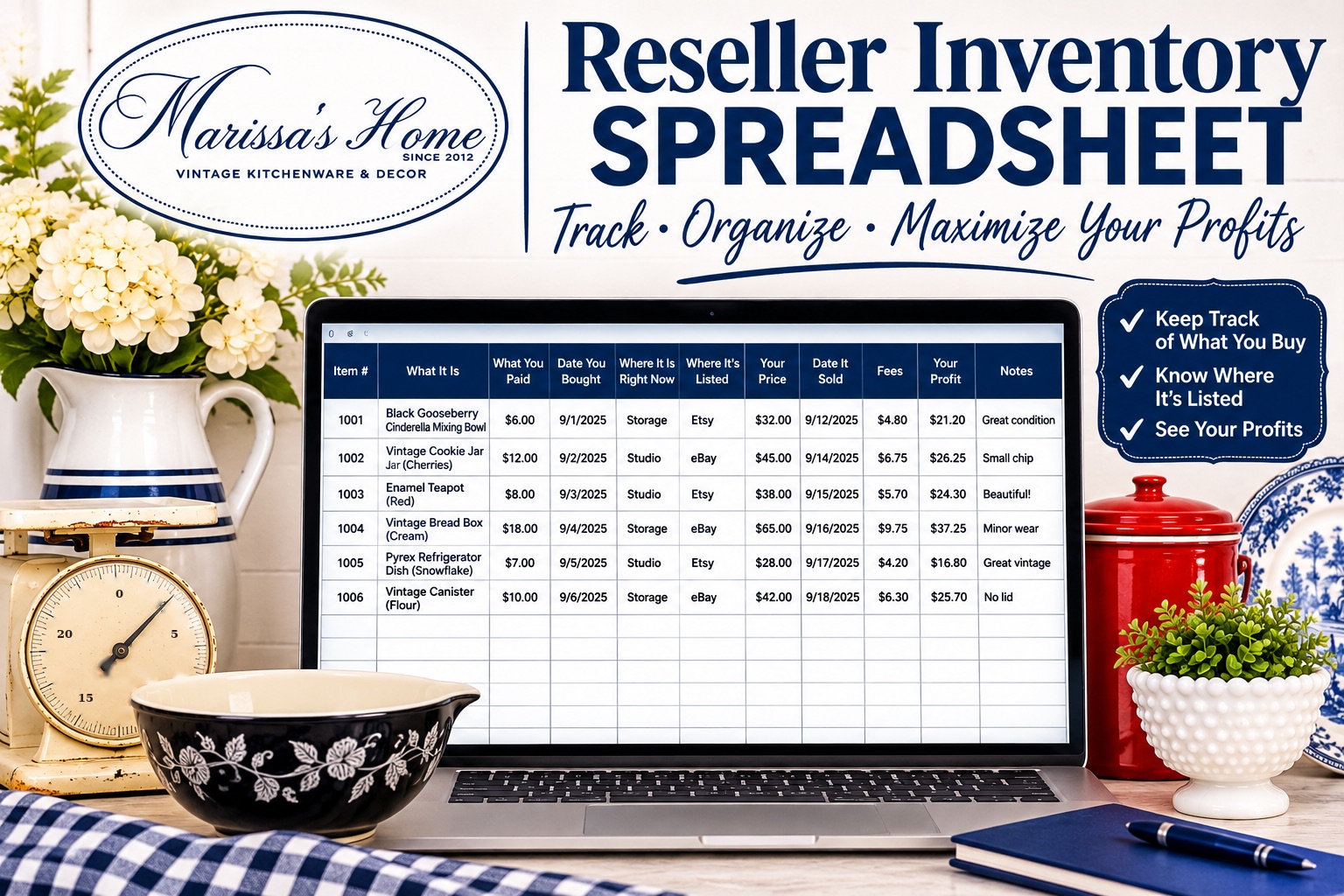
A reseller inventory spreadsheet needs one row per item and eleven columns: an item number, what it is, what you paid, the date you bought it, where you found it, where it is right now, where it's listed, your price, the date it sold, the fees and your profit. That's a solid way to start. Spreadsheets usually break in the same six places: you stop updating it, lots, fees, too many tabs, customers, and tax time. Here's how to build one that lasts, and how to tell when it's done its job.
What columns does a reseller inventory spreadsheet need?
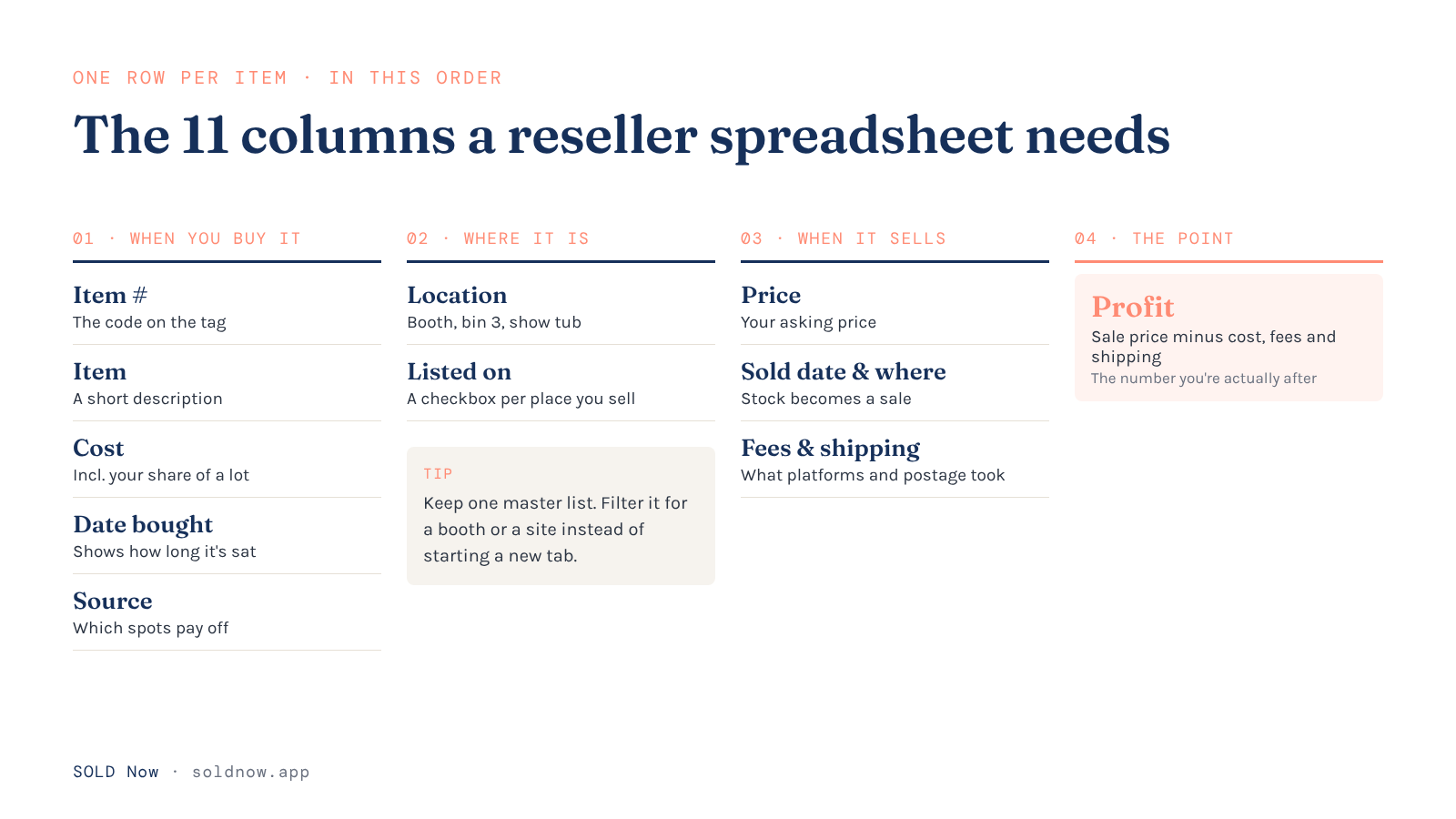
Start with these, in this order:
| Column | What goes in it | Why it matters |
|---|---|---|
| Item number (SKU) | A code you write on the tag, like 2611-014 | Finds the row when the item sells |
| Item | Short description: "Pyrex Butterprint 403 bowl" | So you know what you're looking at |
| Cost | What you paid, including your share of a lot | Every profit number depends on it |
| Date bought | The sourcing date | Shows how long it's been sitting |
| Source | Estate sale, auction, thrift store | Tells you which spots pay off |
| Location | Booth, bin 3, show tub, home shelf | So you can find it when it sells |
| Listed on | One checkbox column per place you sell: each booth, eBay, Etsy, Whatnot, Facebook | So you know where to take it down |
| Price | Your asking price | Compare it with what it sold for |
| Date sold / sold on | When and where it sold | Turns stock into a sale |
| Fees and shipping | What the platform and the post office took | Profit isn't real without it |
| Profit | Sale price minus cost, fees and shipping | The number you're actually after |
Closo, a company that makes crosslisting software for resellers, makes the same point in its guide to building a reselling inventory spreadsheet (opens in a new tab): the problems in a spreadsheet show up around month three, not on day one, when rows were entered inconsistently from the start. So set up your item numbers and your cost column before you enter a single row.
If you'd rather not build it, you'll find plenty of templates for sale; the reseller templates we looked at on Gumroad ran from free (pay what you want) to about $50. Some are Excel-only and say you'll need to know some Excel to use them, so check before you buy.
Where do reseller spreadsheets break?
1. You stop updating it
The spreadsheet doesn't fail on the computer; it fails in real life. Margeo, which makes a profit-tracking app for resellers in Europe, puts it plainly in its guide to spreadsheets versus apps (opens in a new tab): a spreadsheet "becomes unreliable when updates are skipped." After a long sourcing day, updating rows is the easiest job to put off. A few skipped days later the sheet no longer matches your shelves, and catching up means digging through platform statements.

2. Lots and bundles
You pay $40 for a box of 12 pieces. What did each one cost? Closo warns against logging lot items at $0 because they "came from a bulk buy," since that wipes out your real margin on every piece. Divide the lot cost across the pieces you can sell (or weight it toward the piece you bought the box for), and write it down the day you buy.
3. Fee formulas go out of date
You write the fee formula once. Then a platform changes its fees, and the old number keeps running in every row. Margeo's page on spreadsheet alternatives (opens in a new tab) makes the same warning: one copied formula or missing fee column can make a sale look profitable when it isn't.
4. Too many tabs
This one is my story. I kept a running master list, plus a list of the items in every location. Ten-plus tabs later, trying to find one piece quickly became a nightmare. And every sale had to be marked "sold" on every spreadsheet that piece lived on. Miss one, and I no longer knew what I still had in inventory and what I'd already sold. I still have those original spreadsheets in my Google Drive, and every time I scroll past them, I remember the struggle.
5. Customers
This happened to me too. I couldn't find in my spreadsheet what had sold, so I couldn't reach the customer about other pieces. A spreadsheet of items doesn't remember who bought them. When the matching piece comes in, you're scrolling for a name you might have typed into a notes column. It could just as easily have gone on a post-it note on your desk or a card in your bag. Either way, it isn't found and you lose the next sale.

6. Tax time
The IRS says (opens in a new tab) your purchases and sales generate supporting documents you're expected to keep. If your cost column has gaps, your profit is overstated, and filling them in from memory in March isn't a record. Check with your tax pro on what your business needs to keep.
How do you make your spreadsheet last longer?
If you're not ready to switch, these keep a spreadsheet honest:
- Write the item number on the tag and in the row the day you price it.
- Enter the cost the day you buy it, lot cost split across the pieces.
- Keep fee rates in one cell per platform and point every formula at that cell, so a fee change is one edit, not two hundred.
- Give each place you sell its own column, not its own tab. Keep one row per item on one master list, with a Location column for where it physically sits (booth, bin 3, show tub) and a checkbox column for each place it's listed (each booth, eBay, Etsy, Whatnot). Need a list for just one booth or one site? Filter the master list instead of starting a new tab. When a piece sells, you mark it sold once, on one row. You still have to go take it down everywhere else yourself.
- Pick one day a week to update it, the same day every week.
- Keep a separate tab for expenses and mileage, with real addresses and dates.
- Back up the file once a month so a bad paste doesn't take your history with it.
Want to check one piece before you buy it? Our free Profit Calculator shows your real profit on one item after fees, shipping and cost. Enter your numbers and your email, no spreadsheet needed.
When is it time to move to a real system?
The companies that sell inventory apps put the line in different places, by item count or sales per month. A better test is your own week. It's time when:
- You've skipped updating the sheet more than once this month.
- You've sold something twice, or nearly did, because a sale didn't make it onto every tab.
- You can't say what last month's profit was without an afternoon of math.
- You sell in three or more places, or in a booth and online.
- You can't find the person who bought from you last time.
- Someone else, like a spouse or a helper at your booth, needs to update it too.
Ready to look? Here's what a reselling app should actually do: 7 jobs to check before you pay.
How SOLD Now handles it
SOLD Now started because I couldn't find a system that worked for my own shop, so I built SOLD Now as my system to begin with. It wasn't until I started using it to manage and grow my business that I realized the value it would hold for other sellers in my position, which is why our first tagline was "Built for resellers, by resellers." It truly was. We changed it because we felt resellers, small businesses and creatives alike could benefit from the systems inside SOLD Now, so today our tagline is "SOLD Now: From Spreadsheets to a Real Business System."
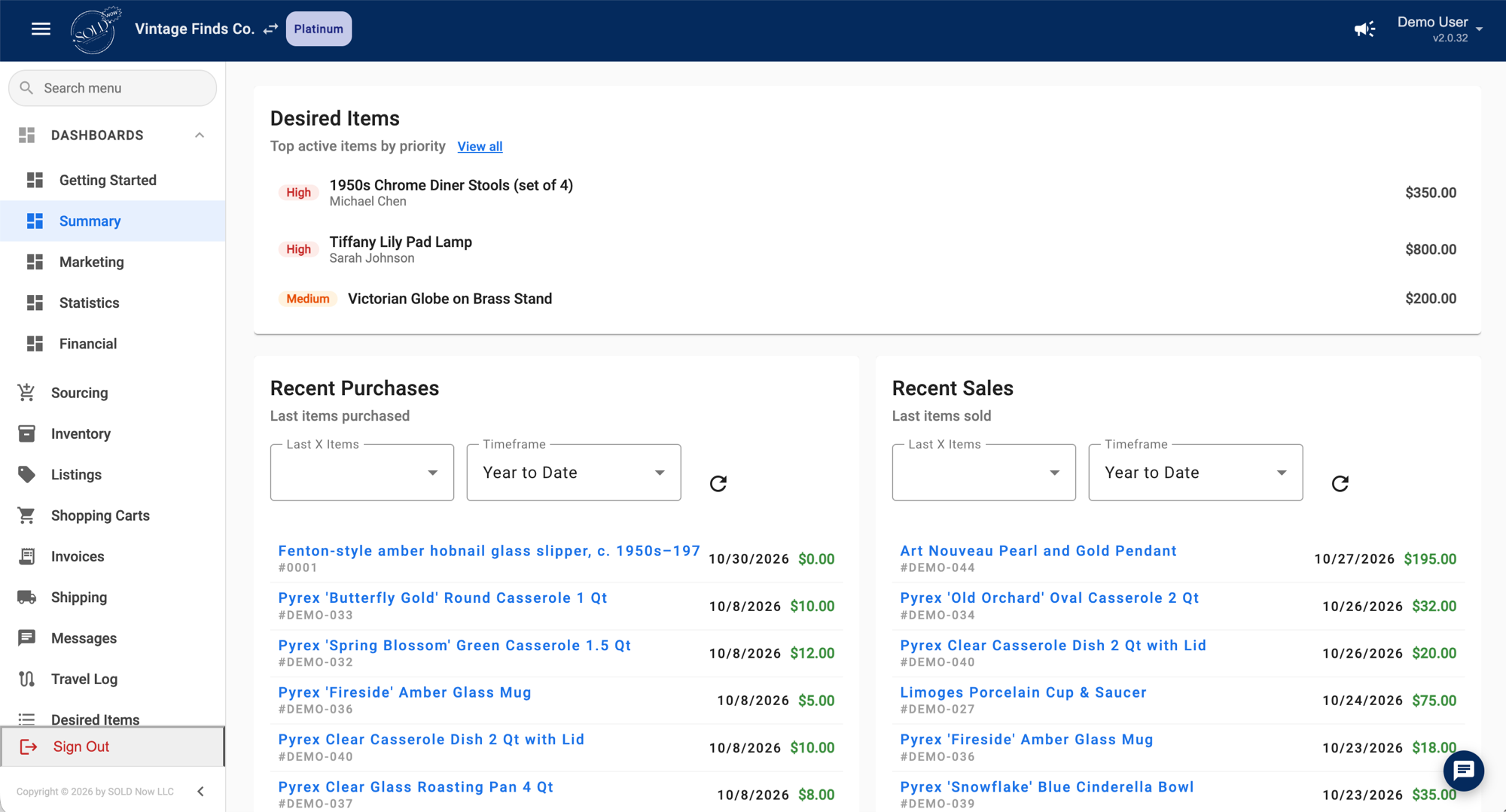
On the Gold plan, every item gets one record from the sourcing trip to the sale, with its cost (a box lot's cost split across its pieces), its location (booth, storage or anywhere you set up) and every place it's listed. When it sells, the sale, the fees and your profit land on that same record, and your business expenses and Travel Log miles sit right next to them for tax time. Already on a spreadsheet? Gold has an import where you match your spreadsheet's columns to SOLD Now's. Compare the plans →
At Marissa's Home, I run two booths, the Marissa's Home Online Store, and Whatnot, Vinted, Facebook, eBay and Etsy. Every Sunday I pull 5 to 10 pieces from my pile to list. My sales from every platform live in SOLD Now, so I can see which decades actually sell for me. The reports I pull inside SOLD Now guide where I put my time and energy. This has really helped me to focus efforts on channels that are thriving over others and increased my overall sales and customer base significantly.

A spreadsheet is a great first system. Move on when keeping it right takes more of your week than selling does.
Frequently Asked Questions
What should a reseller inventory spreadsheet include?
One row per item with an item number, description, cost, date bought, source, location, where it's listed, price, date and place sold, fees and shipping, and profit.
How do I track the cost of items from a lot in a spreadsheet?
Divide what you paid for the lot across the pieces you can sell, or put more of the cost on the piece you bought the lot for. Record it the day you buy, not at tax time. Never enter lot items at $0.
Is a spreadsheet good enough for reselling taxes?
It can be, if every row has a real cost and you keep your expenses and mileage with it. Gaps in the cost column overstate your profit. Check with your tax pro about what you need to keep.
When should a reseller stop using a spreadsheet?
When you keep skipping updates, sell in several places at once, can't tell your monthly profit without hours of math, or more than one person needs to keep it up to date.
SOLD Now: From Spreadsheets to a Real Business System.
Sources
Checked November 5 and 6, 2026.
- Closo, How to Create an Inventory Spreadsheet for Reselling (2026) (opens in a new tab)
- Margeo: Reseller spreadsheet vs. app: when to switch in 2026 (opens in a new tab) · Excel and Sheets alternative for resellers (opens in a new tab)
- Reseller spreadsheet templates on Gumroad: Ginger Marvin (opens in a new tab) · Pallet Reseller Excel Spreadsheet (opens in a new tab) · Hustlin Hooks (opens in a new tab)
- IRS, What kind of records should I keep (opens in a new tab)