
Blog Running Your Business
What Should a Reselling App Actually Do? 7 Jobs to Check Before You Pay
Before you compare prices, compare jobs: item costs, delisting when it sells, real profit, where items are, buyers, tax records and your channels.

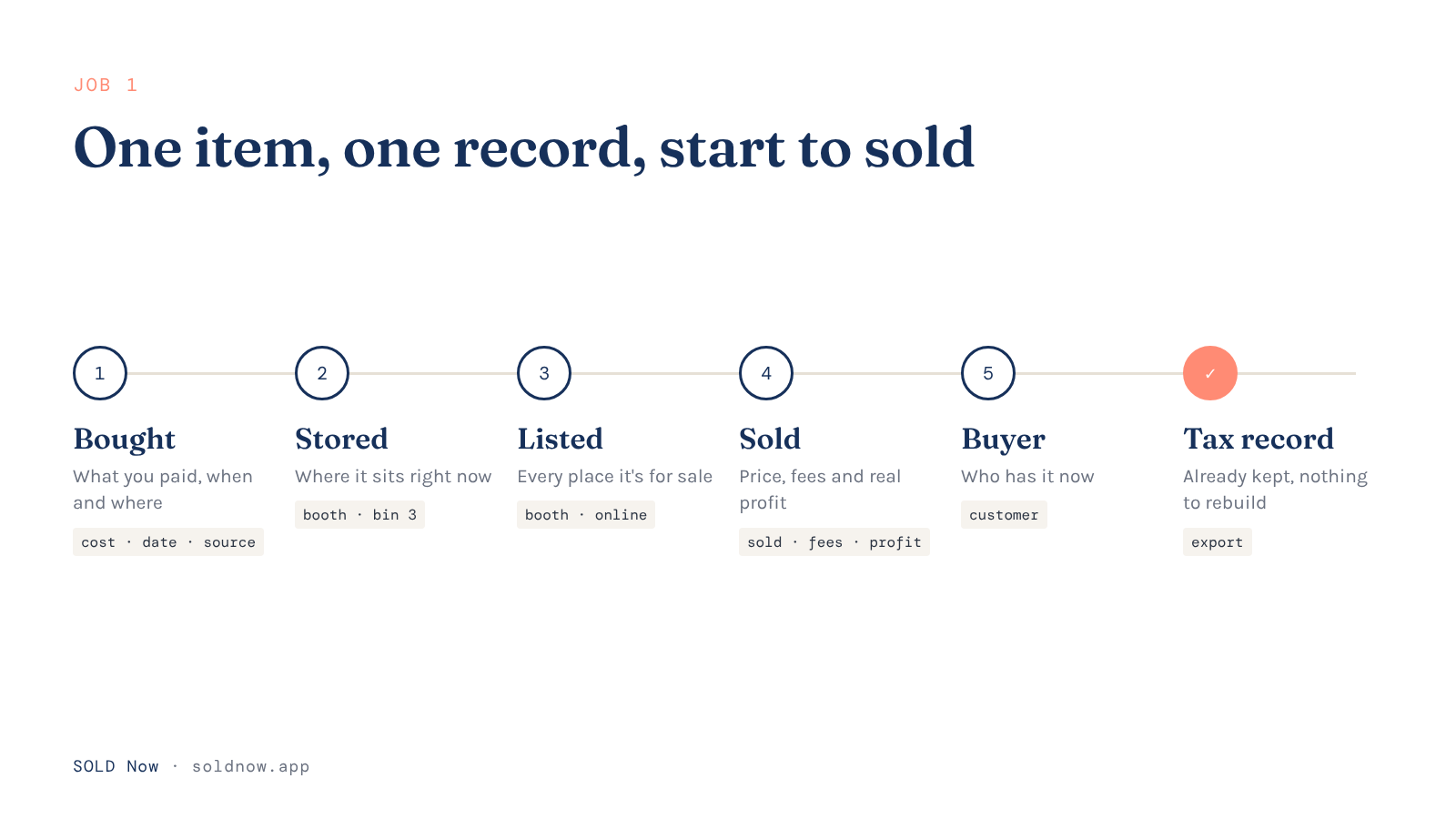
A reselling app should follow one item from the day you buy it to the day it sells: what it cost, where it is, where it's listed, taking it down everywhere once it sells, what you actually made after fees and miles, who bought it, and a record you can hand your tax pro. Many apps do one or two of those jobs well. The gaps are why a common setup is three tools and a spreadsheet.
So before you compare prices, compare jobs. Here are the seven I'd check, the questions to ask, and when a different kind of app is the better pick.
Why do resellers end up with three apps and a spreadsheet?
Because a lot of reselling apps were built for one job. Crosslisters started as a way to stop copying and pasting the same title, photos and description onto every marketplace, and Vendoo's own guide (opens in a new tab) says most resellers start out doing exactly that by hand. A reviewer on Trustpilot (opens in a new tab) said listing manually on each platform was eating up hours. Profit trackers started as a better spreadsheet. Bookkeeping apps came from accounting. Each one solves its job, and you become the person moving information between them.
That's fine for ten items. It gets heavy at two hundred items across a booth, a Whatnot show and three online marketplaces.
Job 1: Does it keep one record per item, from purchase to sale?
Everything else hangs on this. The app should store what you paid, when and where you bought it, and stay attached to that item when it's listed, moved and sold.
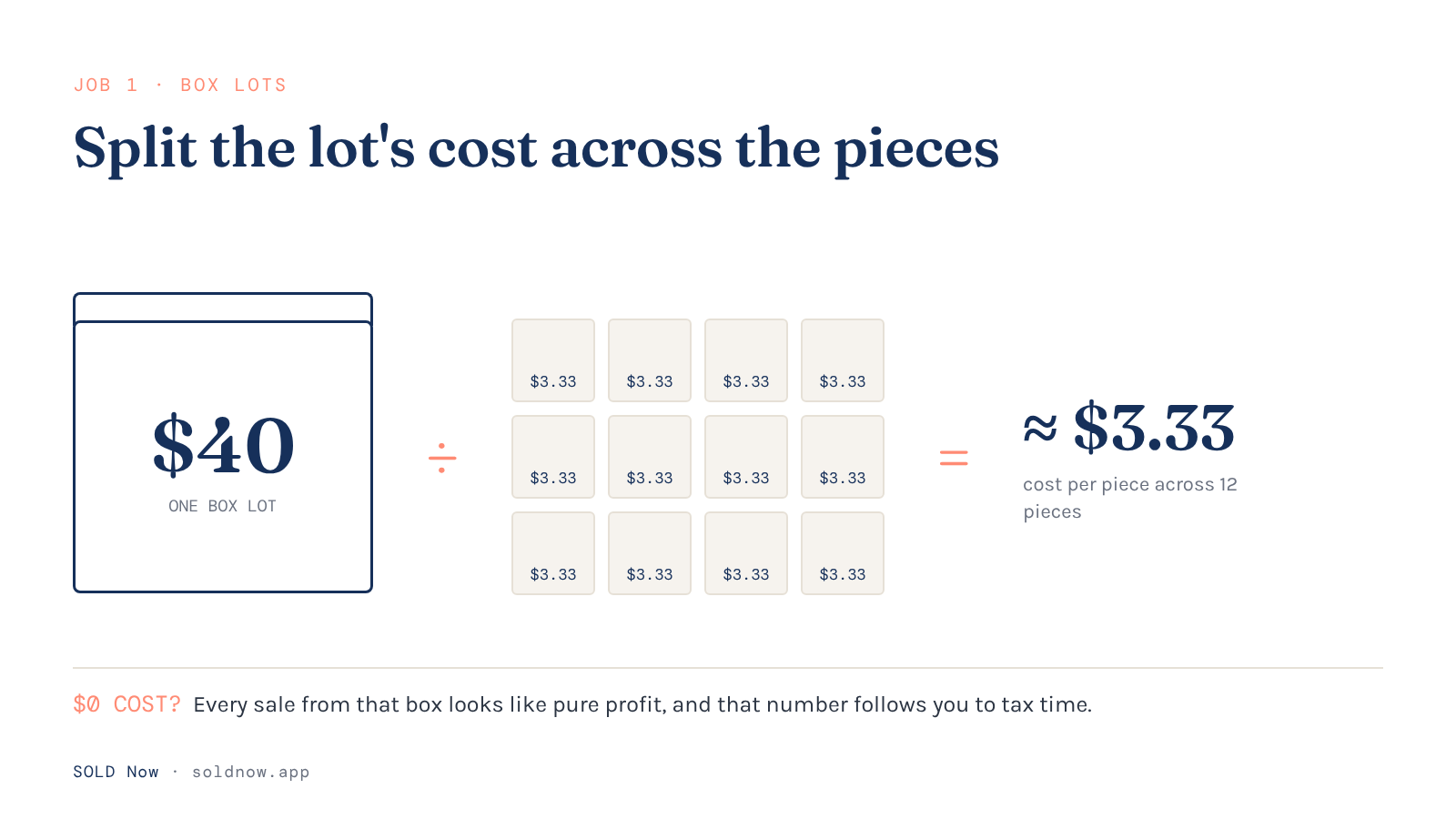
Ask how it handles a lot: if you pay $40 for a box of 12 pieces, can you spread that cost across the pieces, or does every piece go in at $0? A $0 cost makes every sale from that box look like pure profit, and that incorrect number follows you to tax time.
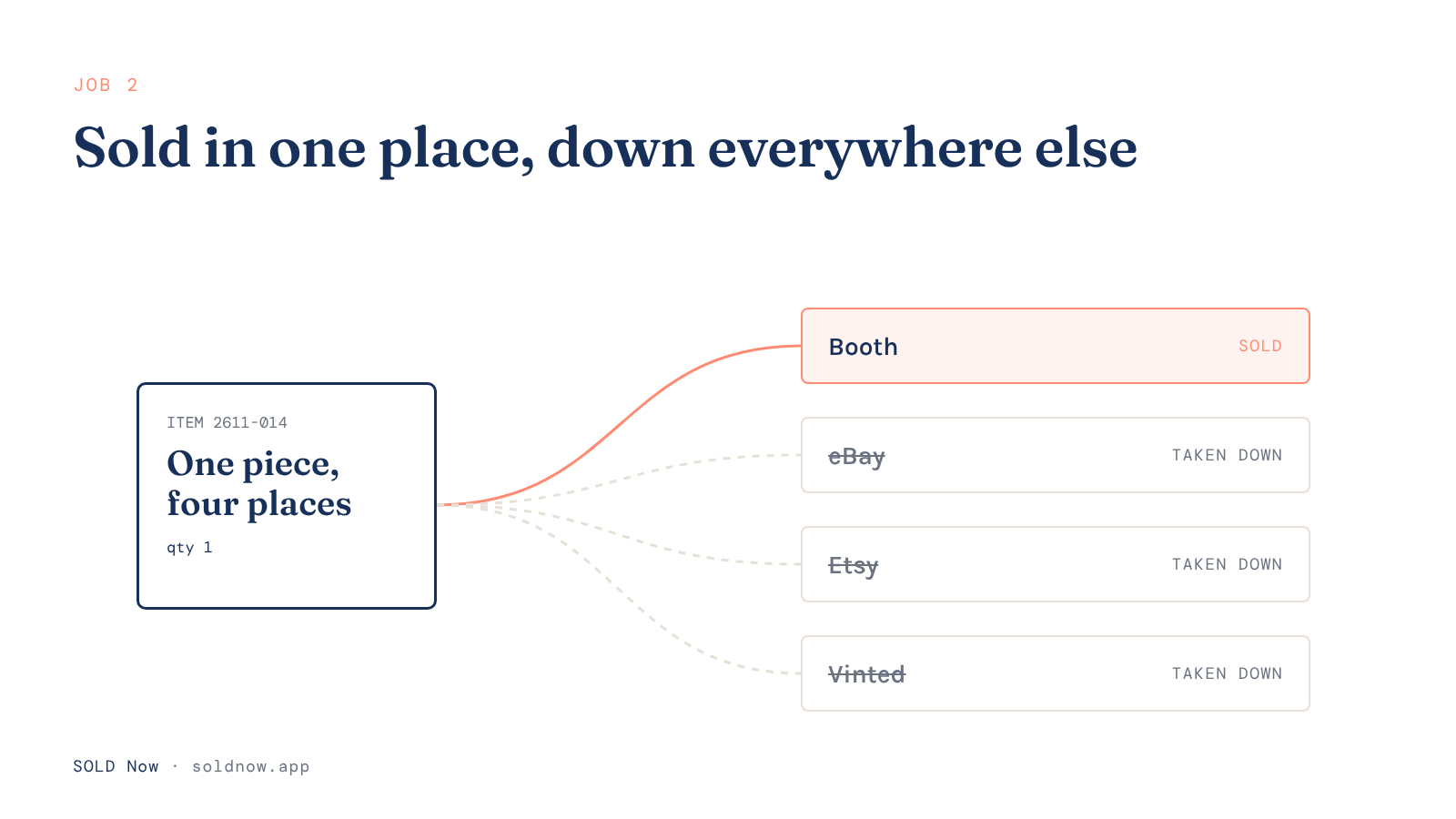
Job 2: Does it take an item down everywhere when it sells?
Selling the same piece twice means cancelling on a buyer and apologizing for something that wasn't their fault. It could also mean a bad review, a negative ding on the site or, if it happens enough times, being banned from the site altogether.
Crosslist's Trustpilot reviews (opens in a new tab) include several people asking for automatic delisting, and one reviewer wrote that you still have to remember what sold where and delete it yourself.
When an app does offer automatic delisting, check three things:
- Which marketplaces? An independent comparison by Hackceleration (opens in a new tab) found that on one app, Vinted sales aren't detected at all, so you mark them sold yourself.
- Which plan? The same comparison found automatic delisting on one popular app only on its higher tier.
- How fast? Sync isn't instant. The comparison cites a two-year user who had an item sell on eBay and again on Poshmark ten minutes later, before the sync caught up.
None of that makes delisting tools bad. It means "auto delist" on a pricing page is the start of your questions, not the end.
Job 3: Does it show what you actually made?
Sale price minus what you paid is not profit. Fees, shipping, supplies, booth rent and the miles you drove to find it all come out first. A good app subtracts them per item and for the month, so you can see which category, which platform and which sourcing spot is really paying you.
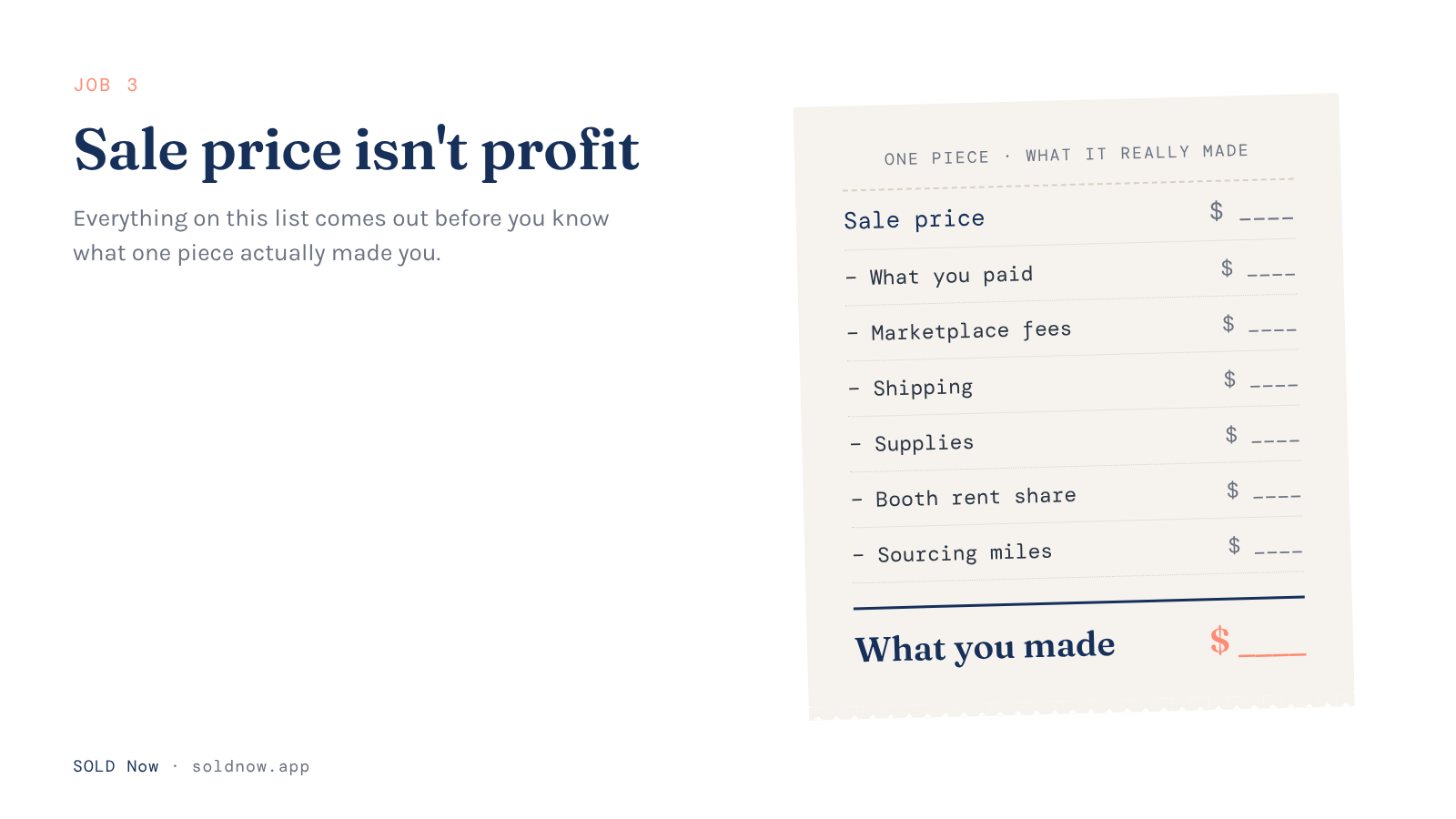
If you just want to check one item before you buy it, try our free Profit Calculator. Enter your email and the numbers for your item, and it shows your real profit on one piece after fees, shipping and cost.
Job 4: Does it know where every item physically is?
Apps built for online selling often assume everything sits on your shelf at home. If you sell in a booth, at shows or on Whatnot, your stock lives in several places at once: the booth, the storage bins, the show tubs or another location. Ask whether the app tracks locations, and whether a booth sale updates the same record as an online sale.
Job 5: Does it remember who bought it?
A buyer who loved one piece may well want the next one, and a lot of reselling tools don't keep track of who bought what.
For instance, a young woman stopped by one of my booths and noticed I had her grandmother's favorite CorningWare pattern, Cornflower Blue. She left with a piece that day. The next day I got a call from her (she found my information on the price tag on the item she bought). She wanted to know if I had any other pieces in that same pattern. I sent her several other pieces I had in stock, and she ended up buying 5 more pieces for her grandmother. Now she's in my system, and if I come across any other hard-to-find pieces, I know to give her a call to see if she's still looking.

Serving your customers outside the booth is crucial. And it takes a customer record (a CRM) to keep track of what your customers are hoping to find when you're trying to build your business.
Job 6: Will it hold up at tax time?
The IRS says (opens in a new tab) your purchases and sales generate the supporting documents you're expected to keep. For a reseller that means what each item cost, what it sold for and your business expenses, kept where you can find them. An app that stores cost, sale, fees, expenses and mileage together gives you that record without a weekend of rebuilding it. Ask what it exports. (Tax rules are yours and your tax pro's to work out; an app keeps the records, it doesn't make the calls.)
Job 7: Does it fit how you actually sell?
A Poshmark clothing seller, a booth dealer and a Whatnot live seller need different things. Write down every place you sell today, and the one you want to add next year, and check each one against the app's list. If one of your channels isn't on it, everything from that channel goes back to a spreadsheet.
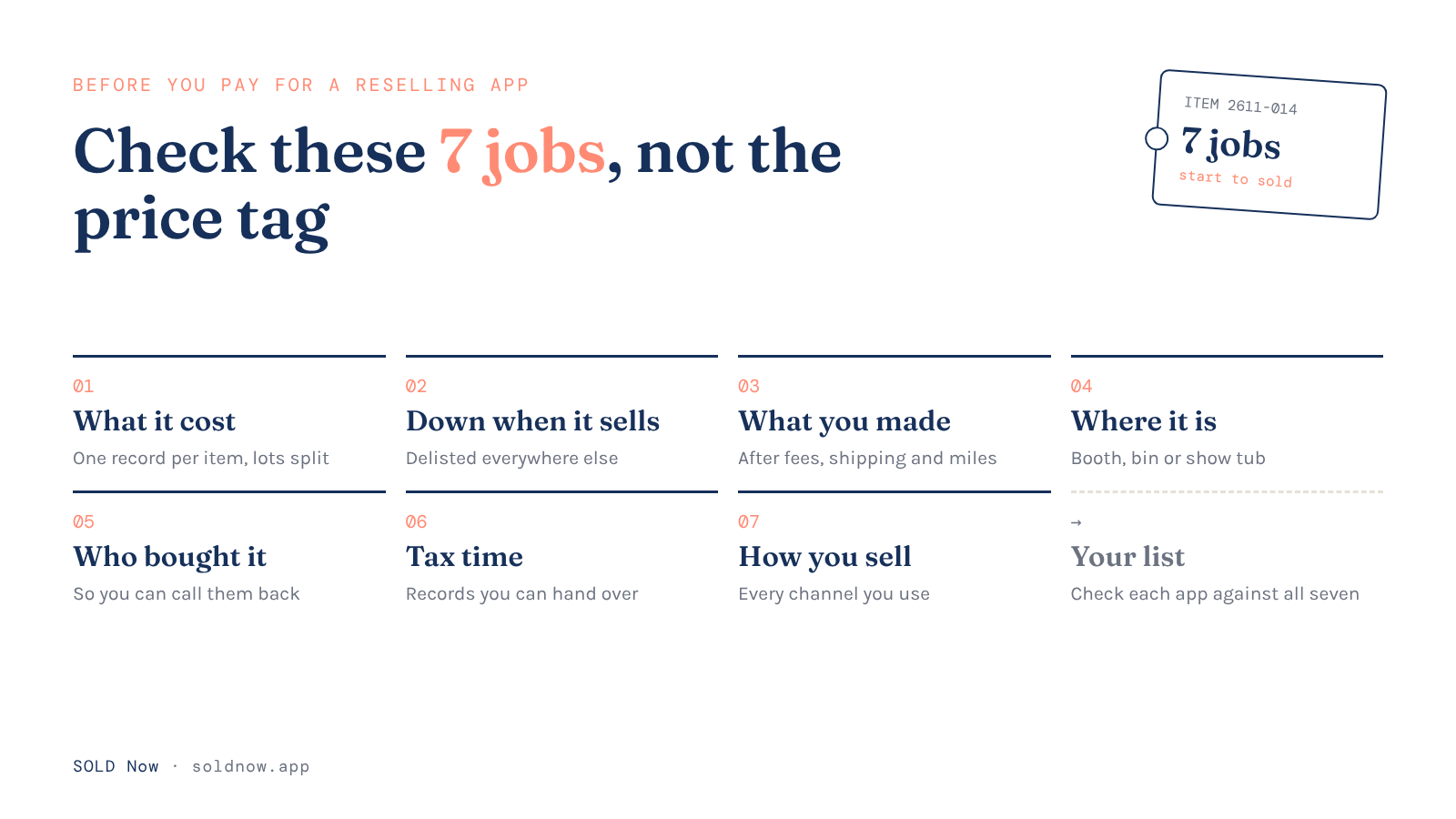
What should you ask before you pay?
- Where does the item record live, and does it follow the item from purchase to sale?
- Can I split a lot's cost across the pieces?
- Which marketplaces does it delist from automatically, on which plan, and how quickly?
- Does profit include fees, shipping, expenses and mileage?
- Does it track booth and storage locations?
- Does it keep customer records?
- What can I export, and in what format?
- Does it cover every channel I sell on?
When should you pick a dedicated crosslister instead?
If you sell mostly clothing and shoes on Poshmark, Mercari and Depop, and your biggest pain is listing fast and delisting across those marketplaces, a crosslister built around them is the better fit. Pick on which marketplaces it detects sales on and on which plan, using the questions above.
How SOLD Now handles it
I'm a reseller first. SOLD Now exists because I couldn't find a system that worked for my own business. I own Marissa's Home, which is housed in two antique booths, multiple online marketplaces and my own online store. Spreadsheets stopped working pretty quickly once I was managing inventory in so many locations. So Neil and I built the platform that does all seven jobs in one place.
SOLD Now's Gold plan keeps one record per item from sourcing trip to sale (a box lot's cost split across its pieces, and booth and online sales landing on the same record), crosslists to eBay, Etsy, Whatnot, Vinted and Facebook (Whatnot and Facebook by manual import), and ends the eBay and Etsy listings automatically when an item sells somewhere else and is out of stock. The SOLD Now Chrome Extension (Gold and Platinum) also takes an item down on Vinted when it sells somewhere else. Poshmark, Mercari and Depop listings are still in development, so if those are your main marketplaces, see the section above. Compare the plans →
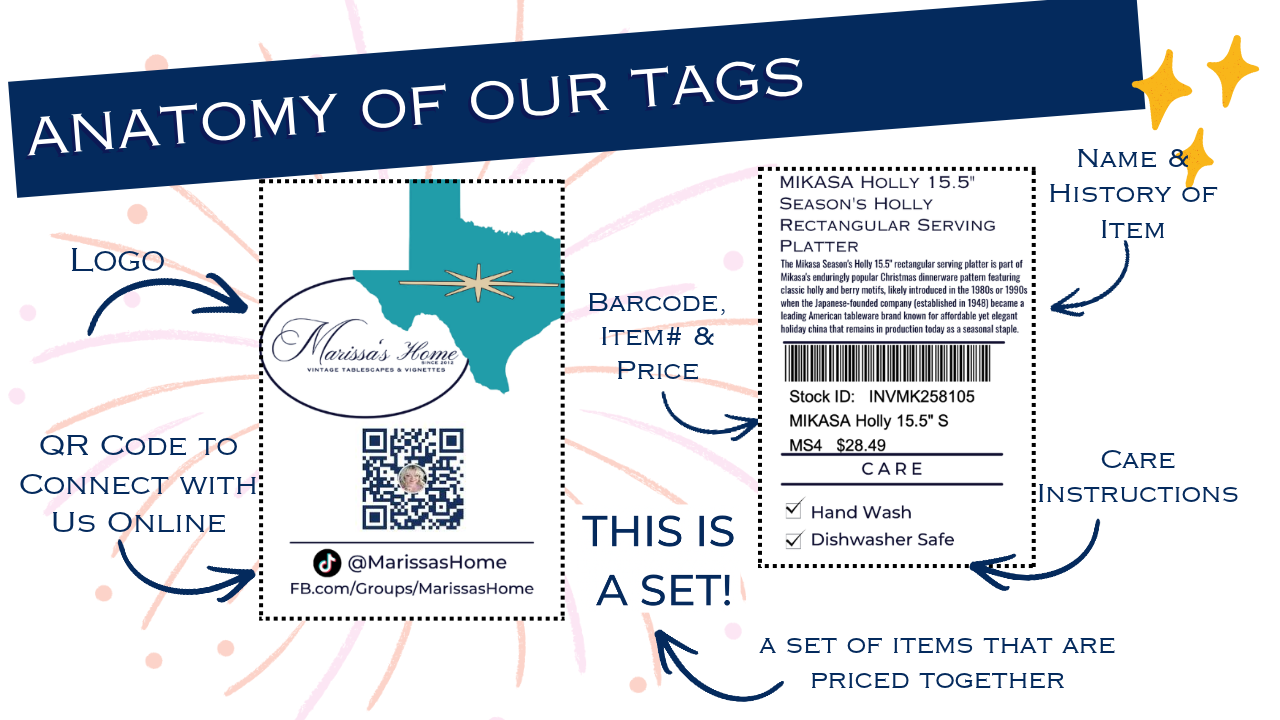
At Marissa's Home, I sell vintage kitchenware and decor in two booths, at shows, in my Marissa's Home Online Store and on Whatnot, Vinted, Facebook, eBay and Etsy. My sales from all of them live in SOLD Now, which is how I know which decades actually sell for me. I also know which platforms sell best, and when I'm in a time crunch, I can focus more time on those channels. And the SOLD Now price tags on my pieces fit seamlessly into the mall's system: they ring up easily at the registers, and they go home with my customers, who can scan the QR code on the tag to connect with me or follow my social channels.
A reselling app is worth paying for when it follows the item, not just the listing.
Frequently Asked Questions
What is the best app for reselling?
The best one is the one that covers every place you sell and does the repetitive jobs you'd otherwise do by hand. Check it against the seven jobs above, starting with how it records what each item cost and whether it delists on the marketplaces you use.
Do reselling apps delist sold items automatically?
Many do, but not on every marketplace or every plan, and the sync isn't instant. Ask which marketplaces it detects sales on, which plan includes it and how often it checks.
Can I use a spreadsheet instead of a reselling app?
Yes, especially when you're starting out. A spreadsheet works until updating it is the job you keep skipping, or you sell in more places than it can keep track of.
What should a reselling app track for taxes?
What each item cost, what it sold for, the fees, and your business expenses and mileage, kept together and exportable. Check with your tax pro on what your situation needs.
SOLD Now: From Spreadsheets to a Real Business System.
Sources
Checked November 5, 2026.
- Hackceleration, What is the best crosslisting app for secondhand resellers? (opens in a new tab)
- Crosslist reviews on Trustpilot: UK, page 8 (opens in a new tab) · Ireland, page 8 (opens in a new tab) · U.S., page 4 (opens in a new tab)
- Vendoo, Best Cross Listing Apps For Resellers (opens in a new tab)
- IRS, What kind of records should I keep (opens in a new tab)